Rollout Inline Early Access Review
Launch-window verdict on dual-stick skating, three maps, Deck play, and who should wait.
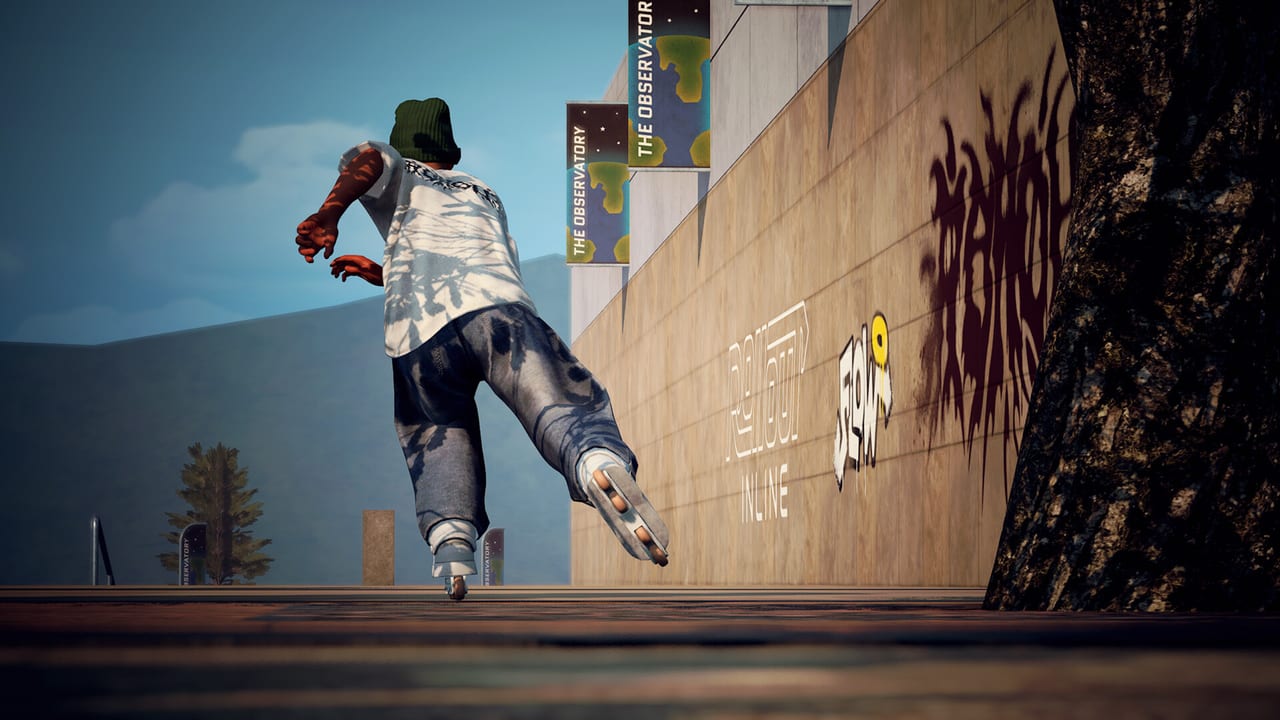
Rollout Inline is a focused aggressive inline simcade from solo developer MLMEDIA—the same creator behind Rooftops & Alleys. It entered Steam Early Access on September 15, 2026, priced around $18.99, with Very Positive Steam reception near 97% from roughly 142 reviews shortly after launch. This page is a buyer-facing Early Access review: who the game is for, how the dual-stick controls feel, how much content three launch maps actually hold, how it runs on PC and Steam Deck, and who should wait for a later patch.
The launch-day gameplay short above is here for vibe, not as a substitute for stick time. For a feature inventory rather than a verdict, use the Game Overview and the day-one snapshot on Early Access Launch. New players who already own the game should still start with Getting Started before chasing stylish lines.
Verdict
Buy Rollout Inline if you want a modern aggressive-blading game that treats each analog stick as a foot, and you are willing to learn on three parks instead of a finished world tour. Wait if you need keyboard play, multiplayer, or a huge map roster on day one. The launch-window score is easy to justify at around $18.99 when the control scheme clicks; it is a poor impulse buy if you treat Early Access like a 1.0 skating anthology.
The headline is momentum, not a campaign. Grinding, cess slides, free spinning and flipping, air grabs, toe and heel rolls, and handplants all sit on physics-and-momentum movement. Ragdolls punish overcommitment. Optional balancing and difficulty settings let you tighten or relax that conversation. A replay editor and in-game music/radio support long practice nights. Clothing unlocks through map progression; skates stay freely customizable. That is a complete loop for a solo-developed Early Access title even when the park count is modest.
A fuller exit from Early Access is planned around Q3/Q4 2027 and can still move. Read this review as a launch-window verdict, not a promise about 1.0.
Who it’s for
Rollout Inline is strongest for players who treat skating games as a craft. If you enjoy learning a stick language, linking a rail into a cess slide, and repeating the same park until a line finally reads clean, this is your kind of session. Real-life aggressive skaters and fans of arcade-to-sim hybrids will recognize the fantasy without drowning in opaque physics homework.
It is also a good fit if you already own a controller—especially an Xbox pad—and you are fine with an English-only interface. The game is single-player only. There is no lobby and no friend drop-in. Sessions are you, the skater, the parks, and the challenge boards.
It is a weaker fit if you refuse pads, want a story campaign, or expect twenty maps before a purchase feels fair. Those players should wait rather than rage at a three-park Early Access build. If you are on the fence but curious, budget one honest hour with the dual sticks before you decide the move set is too hard. Most early bounce-off is input setup or FPS, not a broken idea.
How the controls feel
The dual-stick model is the reason to buy. Left stick steers and spins. Right stick jumps. Both sticks together handle grinds and cess slides because each stick maps to a foot. That combinatorial foot placement is why the grind vocabulary feels huge without a trick-list menu.
The first hour is awkward in a useful way. You will ragdoll off short rails while your hands learn that grind is not a single bumper. Once a stable hold clicks, the rest of the move set reads as extensions of speed and foot angle. Alternative spin options in settings can free a crowded left stick. Optional balancing is a preference, not a mandatory sim tax—turn it off while learning if it overwhelms you, then turn it back on when exits feel planted.
A controller is required; keyboard and mouse are unsupported. Xbox controllers are recommended for comfort and force feedback. DualShock and DualSense should use USB only, matching Steam’s listed support path. Connect the pad before launch. Hardware recovery lives in Controller Setup. Stick roles and settings alternatives live in Controls. Trick families and linking drills continue in Tricks and Grinds. If you want a ladder instead of a buffet, use Trick Difficulty.
Feel is honest. Physics and momentum matter, and the game does not auto-correct sloppy entries. That honesty is also why high frame rates belong in a review: sub-60 play makes dual-stick corrections feel late, and players misread that mush as bad mechanics.
Content at Early Access launch
You get three maps. Official materials highlight massive gaps, long rails, vert ramps, pools, and mixed park language. That is enough canvas to get good if you scout with intent; it is not a finished tour. Compare park roles in Maps Overview instead of treating every space like the same checklist.
Progression is per map. Challenges sit on every park. Clear a batch, level the map, and a harder set appears while earlier challenges stay replayable. Clothing unlocks through that loop; skate cosmetics never hide behind a gate. Practical routing lives in Challenges and Progression. The loop coaches if you let it—replay earlier batches for style after a level-up instead of immediately slamming the new difficulty tier.
Difficulty settings let you scale strictness without rewriting the dual-stick language. The replay editor is more than a clip toy; it is how you see which foot left a rail early. In-game music and radio keep long unlock sessions from going silent.
What you do not get at launch: multiplayer, keyboard support, extra interface languages, or a locked 1.0 map roster. Solo development from MLMEDIA is visible in the scope, and that is not a hidden disclaimer. If you wanted a live-service treadmill, this is the wrong store page.
Performance and Steam Deck
The store asks you to chase high frame rates and treat 60 FPS as a practical floor. Dual-stick skating is timing. Specs are approachable—Windows 10 or newer, a mid-2010s CPU such as an i5-6600K or Ryzen 3 3300X, 8 GB RAM (16 GB in recommended notes), a GTX 1050 Ti or RX 460 class GPU, DirectX 12, and about 2 GB of storage. Tune shadows, post-processing, and anti-aliasing before you blame the park. Full triage lives on System Requirements.
Rollout Inline is Steam Deck Verified. Handheld practice loops work well because the built-in sticks are real analog sticks, which is exactly what the game wants. Busy pools and vert cages still deserve a performance overlay and a settings pass. Connect-before-launch still applies on Deck: wake the device and confirm Steam Input before you boot the title. If you dock for longer challenge sessions, an Xbox pad is the comfort and force-feedback upgrade the store already recommends. Full handheld notes live on Steam Deck.
Pros and cons
Pros
- Dual-stick foot model that actually differentiates aggressive inline from generic sports pads
- Simcade physics with readable momentum, ragdolls, and optional balancing
- Challenge batches plus replayable earlier sets—a loop that coaches instead of expiring content
- Clothing unlocks through progression, with free skate customization anytime
- Replay editor, difficulty settings, and in-game music/radio
- Steam Deck Verified and a light install
- Very Positive launch-window reception around 97% from roughly 142 Steam reviews
Cons
- Three maps at launch; the roster is a start, not a tour
- Controller required; no keyboard and mouse
- Single-player only
- English-only interface
- DualShock and DualSense users may need USB and Steam Input patience
- Early Access means feel and parks will still change through a planned Q3/Q4 2027 window that can move
- High FPS is part of the skill floor—low frame rates make the sticks feel worse than they are
Who should wait
Wait if you are buying a finished skating game with a huge map list. Wait if you only play with keyboard and mouse. Wait if you need multiplayer sessions. Wait if a DualSense on Bluetooth is your only pad and you refuse USB troubleshooting. Wait if sub-60 FPS is all your hardware will give and you dislike lowering settings.
Do not wait if the dual-stick idea already sounds like the game you have been missing. Three maps plus a challenge loop is enough canvas, and Early Access is the right time to learn the language while MLMEDIA is still iterating. Pair this verdict with Getting Started before your first serious night, and keep Early Access Launch as the ship list this review assumes.
Rollout Inline’s launch-window pitch is simple: a solo-developed aggressive inline simcade with a control scheme worth learning. If that sentence excites you, the asking price around $18.99 is easy to justify. If you wanted a massive finished product, bookmark the wiki and revisit after more parks land.
Frequently Asked Questions
Quick answers for aggressive inline players.
Is Rollout Inline worth buying in Early Access?
Yes if you want dual-stick aggressive inline and accept three launch maps. Start with Getting Started after you buy.
How many maps are in the Early Access review build?
Three maps. Compare their features in Maps Overview.
Can I enjoy the game with keyboard and mouse?
No. A controller is required. See Controller Setup for Xbox and PlayStation pad tips.
Does Rollout Inline run well on Steam Deck?
It is Steam Deck Verified. Still chase 60 FPS and confirm Steam Input; see Steam Deck and System Requirements.
Who should wait for a later patch?
Players who need more maps, keyboard support, or multiplayer. Track the ship list on Early Access Launch.