Rollout Inline Character Clothing & Skate Setup
Earn fits through map progression and restyle skates whenever inspiration hits.
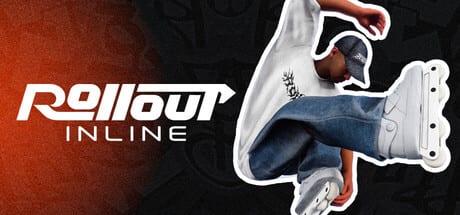
Rollout Inline’s customization menu splits into two philosophies that matter for Early Access play: clothing is a progression reward, and skates are always yours to tweak. That design keeps the fantasy of building a look without gating the tool you stare at for hours—your frames, wheels, and skate silhouette—behind a grind wall. This page explains how to use both systems while you learn dual-stick skating on the three launch maps.
Parent context sits on the Customization Hub. Unlock math lives in Challenges and Progression.
Clothing: earned style
Clothing items unlock as you progress. Practically, that means challenge batches and map level-ups are your wardrobe pipeline. When a batch clears and the map levels, check the customization menu before diving into the harder set. New pieces are easy to miss if you instantly queue the next pin.
Suggested clothing habits:
- After every map level-up, spend sixty seconds browsing new unlocks.
- Equip something visible enough that your silhouette reads in motion.
- Keep a note of which map level dropped a favorite piece if you care about completionism later.
- Do not stall skill practice for a perfect coordinated fit—sessions should still prioritize rails and airs.
Because earlier challenges remain replayable, you can return to comfortable objectives while showing off a fresh jacket. Style and practice are allowed to coexist.
Skates: free experimentation
Skates can be customized at any time with no unlock requirement. Use that freedom aggressively:
- High-contrast practice setup — light wheels / dark frames or the reverse so foot angle pops in the replay editor.
- Clip setup — colors that match your favorite park lighting for footage.
- Mood setups — swap freely between sessions; there is no tax.
Dual-stick grinds are easier to debug when you can see which foot drifted. If your skates blend into steel rails on camera, you will miss teachable frames. This is the rare case where cosmetics directly help learning even without stat bonuses.
Customization and the replay editor
Rollout Inline includes a replay editor for a reason. After a failed handplant or twisted grind exit, scrub the takeaway and watch feet. Clothing that billows into noise or skates that disappear against coping waste that tool. Pair a clean skate contrast with the drills in Tricks and Grinds and you will climb the Trick Difficulty ladder faster.
Progression planning for collectors
If your goal is unlocking more clothing efficiently:
- Pick one primary map and push its challenge batches during focused sessions.
- Use a second map for free-skate creativity at a lower level.
- Keep difficulty fair so batches clear; failed pins earn zero fits.
- After a level-up, optionally replay an earlier challenge in the new fit for fun.
- Rotate primary maps weekly so you are not blind to other park features listed in Maps Overview.
Collectors still need stick skills. The fastest wardrobe path is competent skating, not menu staring.
Difficulty, balancing, and “looking cool while failing”
Optional balancing and higher difficulty settings will ragdoll you more often. That can be hilarious in a fresh fit and demoralizing on day two. If you are unlocking clothing and learning Tier B connectors simultaneously, consider milder settings until Intermediate cess slides feel stable—see Controls.
What customization does not do
- It does not enable keyboard play.
- It does not add multiplayer loadouts; the game is single-player in Early Access.
- It does not replace controller setup—fix pads via Controller Setup if inputs feel wrong.
- It does not bypass FPS needs; smooth frames still matter per System Requirements.
Session idea: style night
Spend fifteen minutes in the customization menu building two skate presets and one clothing combo. Spend thirty minutes free-skating your favorite line on any launch map while filming replays. Spend fifteen minutes clearing a mild replayable challenge in the new fit. That ninety-minute loop celebrates Early Access progression without ignoring mechanics.
Related pages
- Customization Hub — system overview
- Getting Started — when unlocks begin for new players
- Challenges and Progression — how batches feed clothing
- Guides Hub — skill tutorials
- Game Overview — feature list including customization
- Early Access Launch — what shipped day one
Look good, skate better, and let unlocks be souvenirs of lines you actually landed.
Frequently Asked Questions
Quick answers for aggressive inline players.
Can I change skates before unlocking anything?
Yes. Skate customization is available anytime and does not require challenge progress.
How do clothing unlocks drop?
By progressing through challenges and map levels. See Challenges and Progression.
Why pick high-contrast skates?
They make foot placement obvious in the replay editor, which speeds up dual-stick learning.
Is there a character roster to unlock?
No. Customization centers on your skater’s clothing and skates in this single-player Early Access build.
Where should I go after setting a fit?
Practice with Tricks and Grinds or push batches on your primary map.