Rollout Inline Wiki Overview
What the game is, who it is for, and how this wiki maps the Early Access launch.
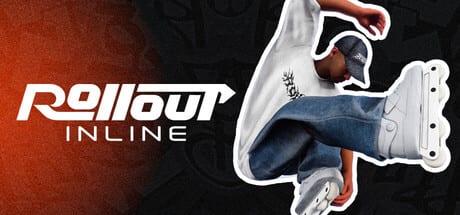
Rollout Inline is a modern aggressive inline skating game from solo developer MLMEDIA—the same creator behind Rooftops & Alleys. It launched into Steam Early Access on September 15, 2026 as a single-player, controller-required simcade focused on momentum, style, and creative lines rather than multiplayer scoreboards. If you have been waiting for a fresh aggressive-blading game that feels contemporary without burying you in opaque physics homework, this is the title the Steam page and early reviews keep pointing toward.
This overview page is the wide-angle lens for the wiki. Use it to decide whether the game fits your setup, then jump into focused guides for controls, tricks, maps, progression, and hardware tips.
Who made it and what it aims for
MLMEDIA is building Rollout Inline as a passion project for aggressive inline. The pitch is straightforward: new, modern, and intuitive skating that still respects the sport. Gameplay sits in the simcade pocket—physics and momentum matter, ragdolls happen, and optional balancing can tighten the feel, but the dual-stick scheme is meant to stay readable once it clicks. Early Access pricing sits around $18.99 on Steam, with Very Positive reception near the mid-90s percent range shortly after launch.
The game is English-only in the interface, ships with Steam Cloud and Family Sharing, and is Steam Deck Verified. There is no multiplayer at launch; sessions are you, your skater, the parks, and the challenge boards.
Dual-stick skating at the core
The control philosophy is the headline feature. Steering and spinning live on the left stick. Jumping lives on the right stick. Grinds and cess slides use dual-stick input so each stick maps to a foot, unlocking a large grind vocabulary without menu-diving every stance. Free spinning and flipping, air grabs, toe and heel rolls, and handplants round out the move set. Alternative spin setups in settings can free even more movement if the default mapping feels crowded.
That design is why a controller is mandatory and keyboard/mouse is unsupported. Xbox pads are recommended for comfort and force feedback; DualShock and DualSense work over USB, and Steam Input is the first place to look if bindings feel wrong. Connect the pad before launch. For a deeper setup walkthrough, see Controller Setup and the full Controls guide.
Maps, challenges, and progression
Early Access opens with three maps packed with gaps, long rails, vert ramps, pools, and the usual park language aggressive skaters chase. Challenges appear on every map. Clear a batch, level the map up, and a harder set appears while earlier challenges stay replayable. Clothing unlocks through that progression loop; skate cosmetics stay freely customizable at any time. Difficulty settings and a replay editor support practice and clip-making, and an in-game music/radio layer keeps sessions paced.
If you want the practical route through that loop, start with Getting Started, then Challenges and Progression and the Maps Overview. Style hunters can browse Character and Skates after the first unlocks land.
How this wiki is organized
- Guides Hub — onboarding, controls, tricks, challenges, and maps
- Tier List Hub — beginner-to-advanced trick difficulty rankings
- Customization Hub — character clothing and skate freestyle options
- Updates Hub — Early Access launch notes and future patch tracking
- Tools Hub — controller setup and system requirements
- Official Links — Steam store page and social channels
Practical systems pages: Difficulty Settings, Replay Editor, and Radio & Soundtrack. Compare the fantasy to other titles on vs Other Skate Games. Sibling deep dives worth bookmarking early: Tricks and Grinds, Trick Difficulty, Early Access Launch, and System Requirements.
Who will enjoy it (and who might bounce)
Rollout Inline is strongest for players who like skating games as a craft—learning stick muscle memory, linking rails into cess slides, and chasing cleaner lines on the same park for hours. Real-life bladers and fans of arcade-to-sim skating hybrids will recognize the fantasy. It is less ideal if you need keyboard support, couch multiplayer, or a huge finished map roster on day one. Early Access is honest about that scope: three launch maps, ongoing solo development, and a planned EA exit window around Q3/Q4 2027 that can still move.
Performance-wise, the store notes that the game plays best at high frame rates. Aim for at least 60 FPS by tuning graphics. Minimum PC specs are approachable (Windows 10+, mid-2010s CPU, 8 GB RAM, GTX 1050 Ti / RX 460 class GPU, DirectX 12, about 2 GB storage), but smooth stick response rewards headroom.
Early verdict for new buyers
As a launch-window overview, Rollout Inline feels like a focused aggressive-inline fantasy executed by someone who cares about the feel of each foot on a rail. The dual-stick grind model is the differentiator; the challenge-and-map-level loop gives structure without forcing a story campaign; customization and replays support expression. Pair this page with the official trailer on Early Access Launch, then move into Getting Started before your first serious session. Keep an eye on Updates as MLMEDIA iterates during Early Access.
Frequently Asked Questions
Quick answers for aggressive inline players.
Is Rollout Inline out of Early Access yet?
No. It entered Steam Early Access on September 15, 2026. A full exit is planned around Q3/Q4 2027 but can change—check Early Access Launch and Steam news.
Do I need a controller?
Yes. Keyboard and mouse are not supported. See Controller Setup for Xbox, DualShock/DualSense USB, and Steam Input tips.
Is there multiplayer?
Not at Early Access launch. Rollout Inline is a single-player experience focused on free skating, challenges, and progression.
How many maps are in the launch build?
Three maps ship on Early Access day one, with gaps, rails, vert, and pools. Details live on the Maps Overview.
Is this wiki official?
No. This is an unofficial fan wiki. For primary sources, use the Official Links page and the Steam store listing.